Freelancing often starts with skill, trust and a first client. The paperwork usually arrives later. One day you are doing the work, sending a quick message, saving a receipt photo, writing hours in a note, checking a bank payment, and trying to remember which client still needs an invoice. That is why the real question is not simply which app is popular. The better question is: which free tools help you run a small freelance business without creating more work than they remove?
This guide is written for solo freelancers, contractors, day rate workers, tradespeople, consultants, designers, writers, tutors, cleaners, mobile service workers and anyone else who gets paid for work without a large admin team behind them. It focuses on useful free plans, official free tools, and practical habits. Some products also sell paid plans, so always check current pricing before you rely on a feature for your business. Start free, keep the stack small, and only pay when a tool is saving you more than it costs.
Billoz belongs in this stack because invoicing is not a one time document. A good invoice usually starts days or weeks earlier with a work record, a client, a rate, a receipt, a payment term and a note about what was actually done. You can use the free invoice creator when you want a clear PDF invoice, the free invoice maker guide when you want the full A to Z workflow, and the features page when you want to see how hours, expenses, WhatsApp delivery, recurring invoices, client payment notes and records fit together.
Free Billoz Tools for Freelancers
Use these free tools to make everyday freelance decisions easier. No account is required for the calculators.
Freelance Rate Calculator
Calculate the minimum hourly and day rate you need based on your income target, business expenses, holidays and billable working time.
Calculate Your Rate1. Start with the work you repeat every week
A freelancer tool stack should match real behaviour, not a dream version of your business. If you work by the hour, your first need is reliable time tracking. If you work on a day rate, you need clean date records and a rate that is easy to reuse. If you buy materials, travel, print, park or pay subcontract costs, you need a receipt capture habit. If you invoice different clients each month, you need saved client details, not a blank template that forces you to type everything again.
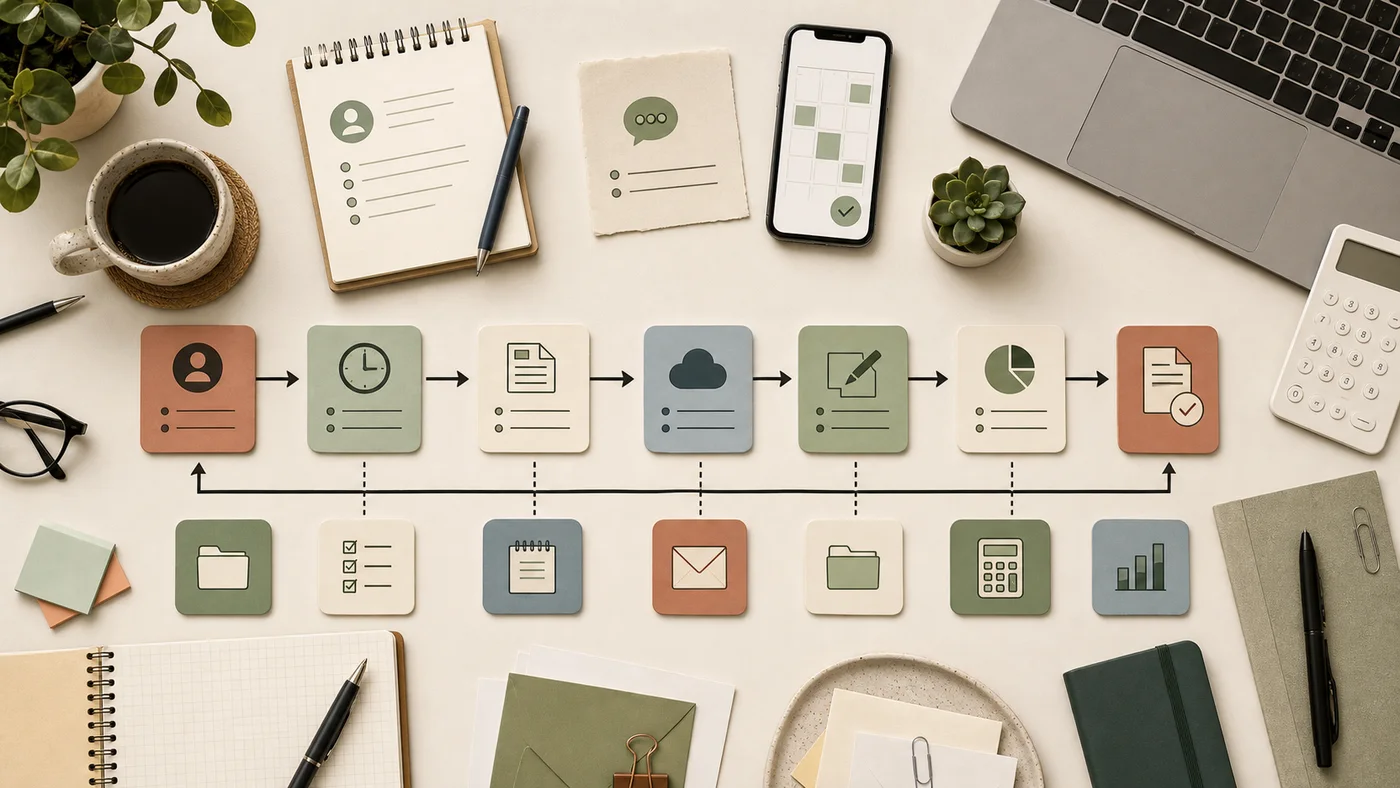
Before adding any tool, write down the seven actions you repeat: find the client details, record the job, save the receipt, calculate the amount, create the invoice, send it, and confirm payment. The best free tools for freelancers make those actions faster. If a tool needs constant fixing, duplicate typing or a long training session before every small task, it is not really free. It is taking payment in your attention.
A lean starting stack is better than a crowded dashboard. Choose one tool for billing records, one for files, one for notes, one for tasks, one for calendar or reminders, and one for passwords. You can add specialist tools later, but your first goal is dependable daily capture.
2. Free invoice and payment record tools
Invoices are where all the small records become money. A freelancer can write a perfect email, do excellent work, and still wait too long to get paid because the invoice was late, unclear or missing the payment reference. Billoz helps by turning clients, work entries, expenses and notes into professional PDF invoices. It supports hourly work, day rates, fixed price work, quantities, receipts, CIS deductions where relevant, client payment links, manual payment confirmation and invoice status tracking.
The reason this matters is simple: a free invoice maker is most useful when it remembers your business details, bank information, payment terms, client contacts and previous work. A blank PDF template can be fine once, but it becomes a burden when you invoice regularly. Use Billoz to keep the records in one place, then send a clean invoice by email or WhatsApp when the job is ready.
For a wider business habit, keep your invoice numbers consistent, use payment references, and never rely only on memory. A client marking an invoice as paid is useful, but your own account check is still the final confirmation. Billoz is designed around that idea, because it does not process card payments and keeps the financial movement outside the app.
3. Free time tracking and work log tools
If you bill hourly or need proof of work, time tracking is not optional. You can use Billoz for simple work entries that become invoice lines. If you want a dedicated timer, Clockify has a free freelancer time tracking page and can help you capture billable hours. The important part is not the brand. The important part is that the hours are recorded on the day they happen.
Many freelancers lose money in small gaps: a quick call not written down, twenty minutes of file prep, half an hour of travel admin, a short revision, or a day rate that was agreed in a message but not added to the invoice. Whether you use Billoz, a timer app, a calendar, or a notebook that you later enter into your billing tool, the habit should be the same. Record the date, client, pay type, quantity, rate and note while the job is still fresh.
For day rate workers, the tool should not force you into hourly language. A good stack lets you invoice one day, half a day, weekly retainers, fixed jobs, mileage, expenses and mixed work without a fight.
Work out what you should charge
Use the free Billoz Freelance Rate Calculator to calculate your minimum hourly and day rate based on your real working pattern.
Open Rate Calculator4. Notes, knowledge and client instructions
Freelancers carry a surprising amount of client knowledge. Door codes, brand colours, cleaning instructions, hosting logins, preferred invoice wording, quote history, contract notes and delivery preferences can quickly scatter across messages. A notes tool keeps this quiet information from disappearing.
Notion offers a free plan for individuals and can be useful for client notes, project pages, reusable checklists and personal knowledge. Google Docs is also a simple free option for documents, templates and shared notes. The best choice is the one you will actually maintain. A beautiful system that you avoid opening is worse than a plain document that stays current.
Keep notes practical. Create one page per client with contact details, work preferences, rate notes, invoice terms and links to shared folders. Add a simple decision rule: if a piece of information will be needed again, it belongs in the client note or billing profile, not only in a chat thread.
5. Tasks, projects and weekly planning
Most freelancers do not need heavyweight project management. They need a short list of what is active, what is waiting for a client, what needs invoicing, and what must be followed up. A free task board is enough for many people. Trello offers a free plan that works well for simple boards, cards, checklists and due dates. It is especially useful if you like visual planning.
A good board can be as simple as Leads, Quoted, Booked, In progress, Waiting, Ready to invoice, Paid. This mirrors the real journey of freelance work. If a client says yes, move the card. If the job is done, add the final notes and create the invoice. If the invoice is sent, set a follow up reminder. The board is not the business. It is just a map of what needs attention.
For small service businesses, the best planning tools avoid hidden complexity. You should be able to look at the board on a phone and know what to do next without opening six filters.
6. Receipts, files and cloud storage
Receipts are easy to lose because they arrive in too many shapes: paper, email, app download, PDF, photo, till slip, supplier portal, parking app and bank note. The best free tools for freelancers make receipt capture boring in the best possible way. Take the photo, name it clearly, attach it to the job or client, and keep a backup.
Billoz includes receipt and expense capture so the cost can sit beside the work that caused it. For wider storage, Google Drive, OneDrive, iCloud Drive or Dropbox can keep folders synced across devices. The tool matters less than the folder habit. Create folders for each year, then clients, then invoices and receipts. Use the same naming pattern every time, such as client, date, invoice number and short description.
Freelancers often wait until tax time to organise documents. That creates pressure and mistakes. A five minute weekly filing habit is cheaper than a full weekend of sorting.
7. Communication, scheduling and trust
Clients pay faster when communication is clear. That does not mean writing long messages. It means sending the right thing in the right place: a short invoice note, a payment link, a receipt of work done, a reminder when needed, and a clean way for the client to confirm something. Billoz supports email and WhatsApp invoice sending so freelancers can use the channel their client already reads.
For appointments and calls, a calendar app is still one of the best free freelancer tools. Google Calendar, Apple Calendar and Outlook Calendar are enough for many solo workers. If you need booking links, tools like Calendly have free entry options, but check the latest plan before making it central to your workflow.
The trust layer is simple: reply clearly, record agreements, send invoices with enough detail, and make it easy for the client to know what they are paying for. A beautiful invoice cannot fix unclear work records, but clear records make the invoice feel professional.
8. Security, passwords and business safety
Free tools can make a business easier, but only if the accounts are secure. Use a password manager, turn on two factor authentication where available, and avoid reusing the same password across client accounts, email, cloud storage and billing tools. Bitwarden has a free individual option and is a common starting point for freelancers who want better password habits.
Your email account is especially important because it often controls password resets, client messages, invoices, tax documents and cloud files. Protect it first. Keep recovery details up to date. Do not send sensitive client access details in plain chat when a safer method is available.
Security is not only technical. It is also about clean records. If a client asks what was done, when it was done and what was paid, your system should answer without panic.